Break And Hide The Plane Solo Save Tips
Plan saved Hangar Yard sessions, stop clean mid-chapter, and keep solo scrap progress healthy after patches.
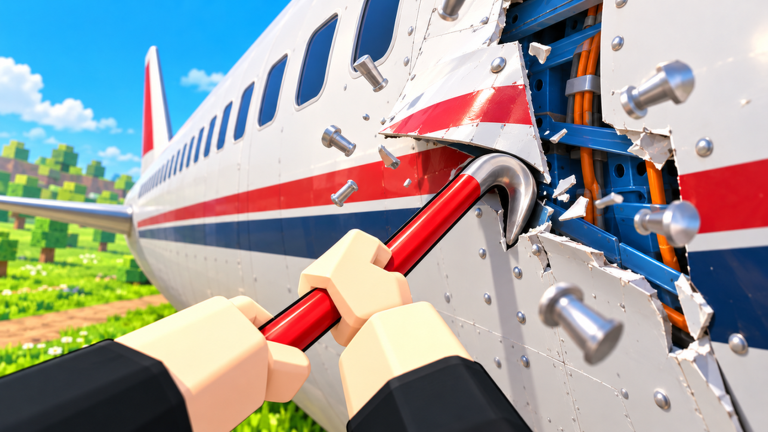
Official notes for Break And Hide The Plane are blunt about modes: solo runs save, and you can also squad with up to four friends. This page is for players who live in the solo save lane — night-shift grinders, mobile sessions, and anyone who wants chapter progress without coordinating voice chat.
Why solo saves matter
Solo mode turns the Inspector fantasy into a personal schedule. You can finish a village threshold, close Roblox, and resume later without rebuilding the entire diner-windmill-market fantasy from zero. That flexibility is the advantage. The risk is soft discipline: without teammates watching, it is easy to half-fill sacks, over-shop, or quit mid-panel in a way that makes the next login confusing.
Treat every logout as a save point you chose, not an accident.
Session planning template
Before you spawn at Hangar Yard, pick one mission for the login:
- Route lab — practice one deposit path until it is boring
- Verb lab — spend the session mostly on pry, saw, smash, or grind
- Economy lab — earn one meaningful Gear Shop or Upgrade Book jump
- Chapter push — chase a specific village threshold, then stop
Write the mission in chat to yourself or a notes app. Ambiguous sessions waste the save system because you stop nowhere useful. New players should still clear Getting Started once before optimizing saves.
When to stop mid-chapter
Good stop points:
- Right after a village threshold completes and structures settle.
- After depositing a full sack with an empty plane lane marked mentally for return.
- After purchasing and equipping the upgrade that was the session goal.
- When focus drops and you start missing easy hitboxes.
Bad stop points:
- Mid-saw on a long seam with no note of where you left the cut
- Inside the Gear Shop with currency unspent and no plan
- During a crate opening binge with mods unequipped
- Thirty seconds before a threshold while sightseeing the new market prop
If urgency is loud, read the Inspector Timer Guide so you do not quit out of panic after a single bad loop.
Mid-guide chapter 1 solo reference
The embedded Chapter 1 complete UPD gameplay capture is a useful pacing mirror for solo clears. Watch how a focused run treats scrap as construction budget, then copy the discipline — not every camera flourish — on your next saved night.
Solo loadout habits that compound
- Upgrade the tool you swing eighty percent of the time before collecting a museum of shop items (Gear and Upgrades).
- Open crates between deposit runs when you can slot mods immediately.
- Craft blueprints only when materials are ready and the tool fills a hole tonight.
- Keep a tiny written log: sack-fill seconds, Upgrade Book ranks, chapter banner text.
- Recheck Codes at login even though many snapshots still show no confirmed active codes.
Cross-rank priorities with the Tools Tier List and the Upgrade Checklist.
NPC workers for solo players
Community videos mention buying NPC workers to accelerate the mission. For solo saves, workers are a force multiplier on nights when you already know the loop and simply lack four human friends. They are a poor substitute for learning camera angles and sack pathing. Recommended order:
- Prove you can clear clean chapter 1 deliveries alone.
- Rank your primary tool twice in the Upgrade Book.
- Then consider NPC help for a stubborn denser segment.
If workers ever feel mandatory because your route is chaotic, fix the route with How to Dismantle the Plane first.
Solo versus co-op — choose on purpose
| Topic | Solo saves | Co-op (up to 4) |
|---|---|---|
| Progress | Personal save-friendly sessions | Coordinated night pushes |
| Roles | You rotate all four verbs | Specialize pry/saw/smash/grind |
| Shop | Shop whenever the binary filter allows | Stagger so the plane never empties |
| Teaching | Perfect for learning | Better after fundamentals |
| Risk | Self-inflicted bad habits | Lobby chaos / AFK strangers |
When you do invite friends, switch mental models with the Co-op Guide instead of playing four parallel solo games on one plane.
Progress recovery after patches
Seasonal Roblox titles such as [👽UPD] or mirrored Halloween [🎃] tags can coincide with balance tweaks, HUD moves, or temporary confusion about saves. After any update window:
- Confirm you joined place 113921375793640 by Unlicensed Plane Mechanics.
- Rejoin once if village progress looks wrong.
- Complete one familiar sack delivery as a health check.
- Open Gear Shop and Upgrade Book; note new items.
- Skim Latest Patch Notes and adjust the Chapters Walkthrough plan if density shifted.
Do not immediately rebuild your entire kit from zero. Inventory usually persists; meta priorities are what change.
Solo evening schedule (60 minutes)
- Codes + mission pick (5)
- Warm-up exterior panels (10)
- Main threshold or verb lab (35)
- Equip upgrades, slot mods, write log (10)
Stop on a clean threshold whenever possible so tomorrow-you thanks tonight-you.
Related pages
Final reminder
The save system rewards intentional exits. Pick a mission, fill sacks, spend once with purpose, and log out on a threshold. That is how solo Hangar Yard nights stay satisfying from the 23 Oct 2026 launch window through every later [👽UPD] branding change.
Frequently Asked Questions
Quick answers for Break And Hide The Plane players.
Do solo runs really save in Break And Hide The Plane?
Yes. Official description notes that solo runs save so you can continue later. Recheck village progress after large patches.
When is the best time to stop mid-chapter?
Stop after a village threshold, a full deposit with a clear return plan, or right after equipping the upgrade that was your session goal.
Should solo players hire NPC workers early?
Learn a clean sack loop and rank your main tool first. Hire workers to multiply a route you already understand.
How is solo different from a four-player squad?
Solo favors flexible saved sessions and self-rotated verbs. Co-op favors specialized roles and staggered deliveries — switch guides when you switch modes.