Break And Hide The Plane How to Redeem Codes
Find the Codes panel, paste safely, and turn free rewards into better tools.
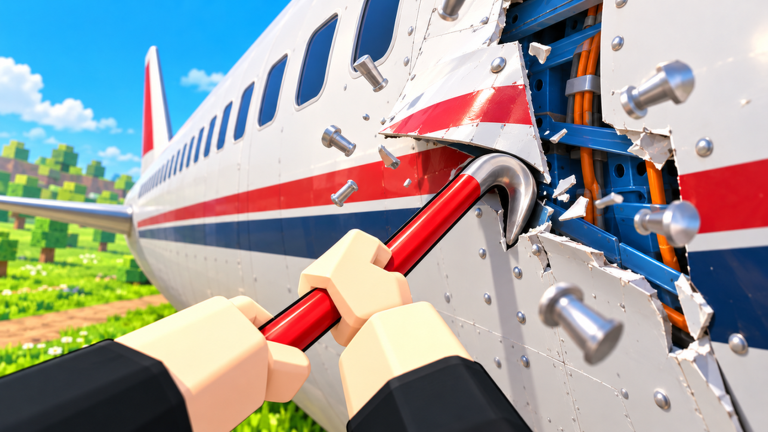
Redeeming codes in Break And Hide The Plane takes under a minute once you know where the panel lives. This guide walks through the full path so you do not waste a limited drop while the Inspector timer is already running.
Pair this page with the live list on Codes. If that hub shows no active entries, practice the steps now so you are ready for the next announcement on Updates.
Before you redeem
- Use the official experience: Break And Hide The Plane by Unlicensed Plane Mechanics (Roblox place linked from our homepage CTA).
- Stay logged into the Roblox account that should receive the reward.
- Finish the short join / Hangar Yard load so UI buttons are interactable.
- Copy the code from Codes into your clipboard with no leading or trailing spaces.
PC redemption steps
- Click Play on Roblox and wait for Hangar Yard.
- Look along the left or right HUD for a Codes, Gift, Twitter bird, or Rewards button — labels change after UI polish patches.
- Open the panel and click the text field.
- Paste the code (
Ctrl+V) and press Redeem / Claim. - Confirm the success toast, then open inventory, cash, or mail to verify the grant.
- Leave the panel and return to dismantling so you do not idle through a co-op chapter.
If the button is missing, check Settings or the hamburger menu. Some updates bury Codes one level deeper.
Mobile redemption steps
- Launch from the Roblox app.
- Tap the on-screen menu icon after spawn.
- Select Codes or Rewards.
- Long-press the field to paste, then tap Redeem.
- Rotate to landscape if the keyboard covers the confirm button.
Touch UIs sometimes hide the Codes entry behind a scrolling tab list. Swipe the full menu once before assuming the feature is desktop-only.
Console tips
Console builds follow the same Roblox experience, but text entry uses the on-screen keyboard. Open Codes with the controller shortcut shown on the HUD hint, select the field, enter the string carefully (watch uppercase letters), and confirm. If pasting is unavailable, type slowly and compare against the wiki table character by character.
After a successful redeem
Spend rewards with a plan:
- Prioritize a higher-tier pry, saw, or grinder if your starter kit feels slow — compare options on the Tools Tier List.
- Slot crate or blueprint rewards before buying duplicates in the Gear Shop.
- In squads, call out the code in chat so all four players redeem before you commit to a long haul route (Co-op Guide).
Troubleshooting
Invalid code: Recopy from Codes, check capitalization, and confirm it is still listed as active.
Already redeemed: Most codes are one claim per account. Alts need separate Roblox accounts and still must follow Roblox rules.
No Codes button: Reljoin, update the Roblox client, or try another platform. UI rollouts can lag on older devices.
Reward missing: Rejoin once, then check every currency and crate inventory tab. Some grants land in mail rather than backpack.
Common mistakes
- Redeeming on a lookalike experience with a similar plane theme
- Sharing codes only after your private server already finished the chapter
- Buying random Gear Shop junk instead of following Gear and Upgrades
- Ignoring expired lists and retrying dead codes for minutes
Related pages
- Codes Hub — live and expired tables
- Getting Started — first-hour checklist
- Gear and Upgrades — spend freebies well
- Scripts — unrelated to official codes; stay safe
Family accounts and shared devices
On shared PCs or consoles, confirm the correct Roblox user is signed in before redeeming. Codes are usually one claim per account, and accidental redeems on a sibling profile waste limited drops. After claiming, switch back carefully before you resume dismantling.
Frequently Asked Questions
Quick answers for Break And Hide The Plane players.
Can I redeem the same code twice?
Usually no. Most Break And Hide The Plane codes are one redeem per Roblox account.
Do I need Robux to redeem codes?
No. Promo codes are free. Robux purchases are separate Game Pass or shop items.
What if the Codes panel is missing?
Rejoin, update Roblox, check Settings menus, or try PC. Some patches move the button.